XSign in by: Email Mobile

Home > 东盛电子
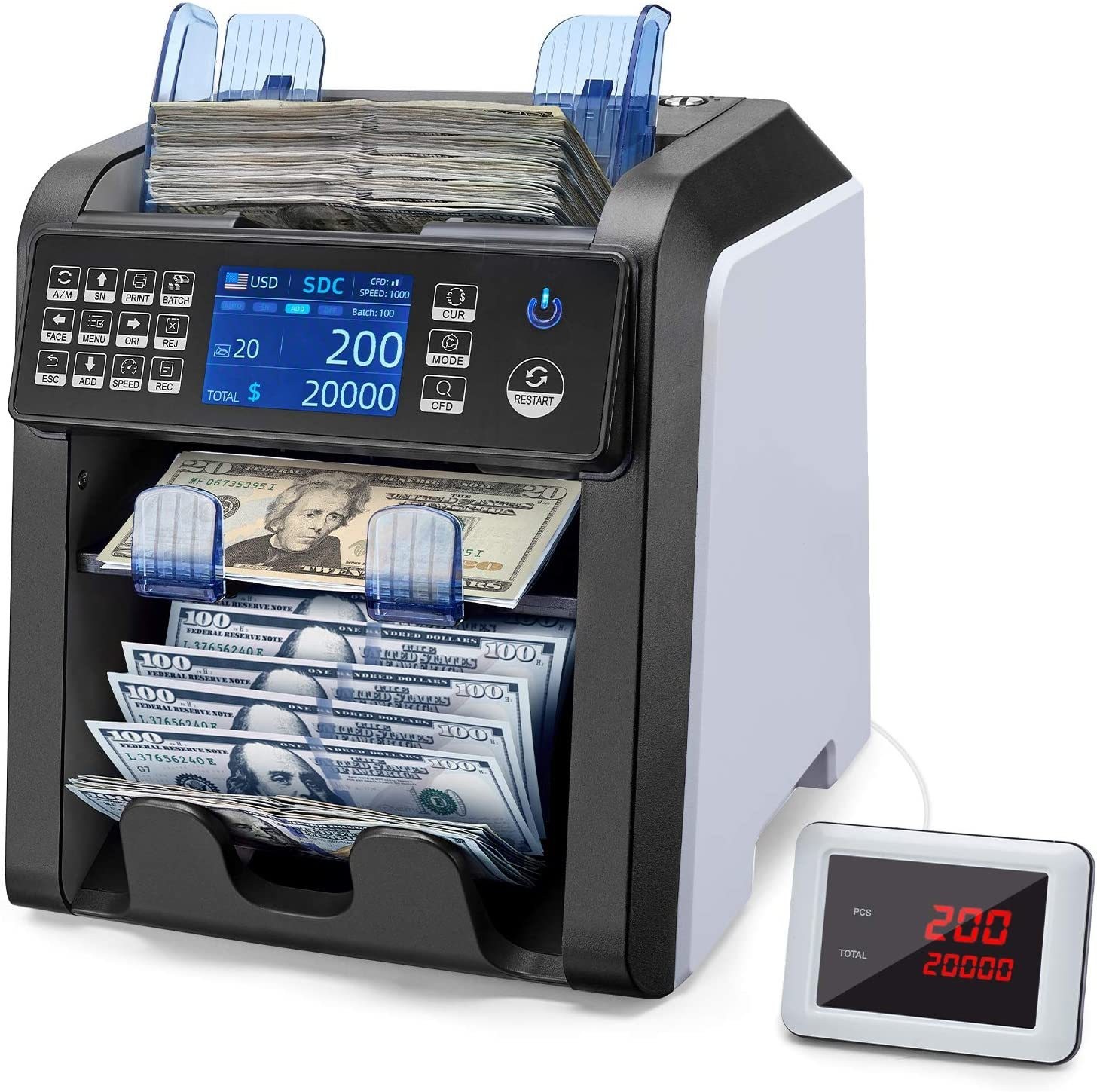
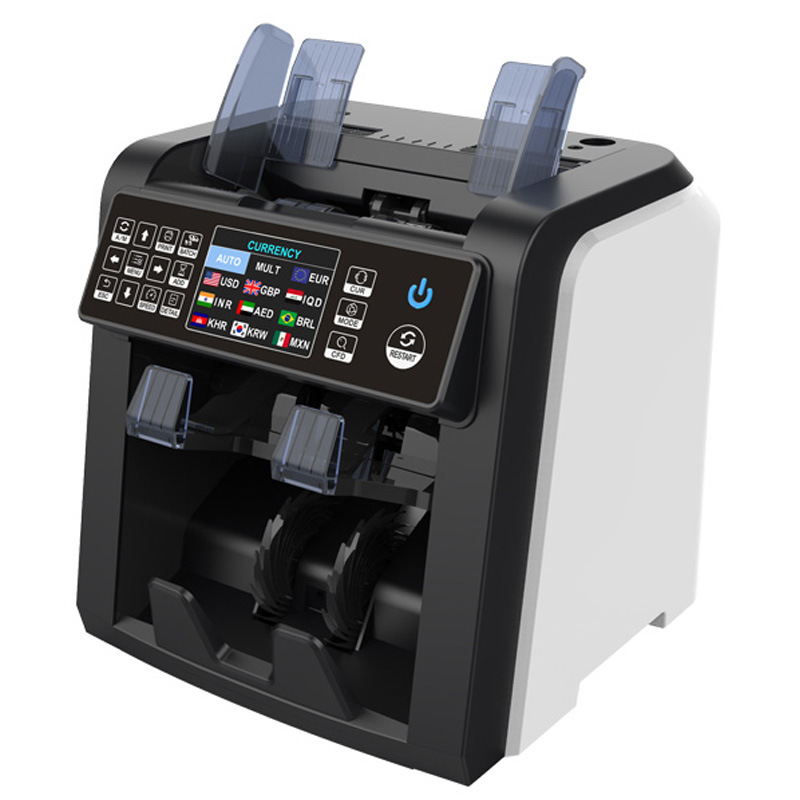
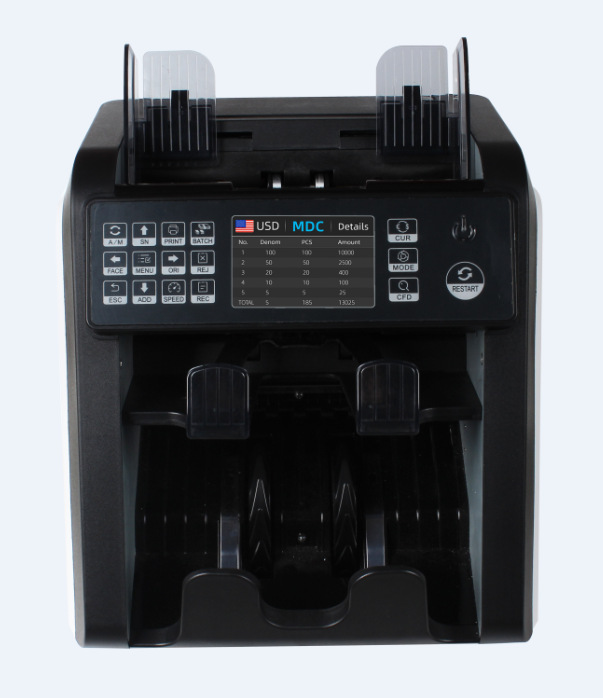
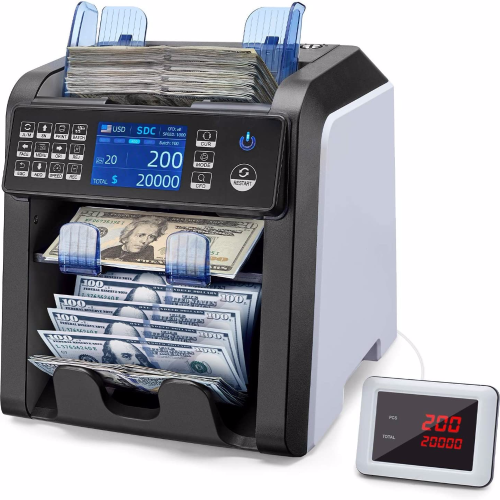
AL-950 Foreign Currency Point Money Detector CIS Image Recognition Mixed Point Total Amount Vertical Machine One and Half Sorter

AL-950外币点验钞机CIS图像识别混点合计金额立式机一口半清分机

  • EXW Price: Min. order:
    USD $678.67
    ≥1/piece
    USD $646.36
    ≥10/piece
  • 1 piece
  • Weight 10.0 kg/piece
  • Item No. AL-950
  • Stock num 20 piece
Please select a product
  Number   Unit-price   Total
I want to buy: × 678.67 = 0
The purchase quantity of each ID cannot exceed()piece
Insufficient inventory, please contact the seller
The total number of orders is less than the minimum purchase quantity(1)
  • Add to cart Please contact the merchant for purchase
    Buy now

A new item has been added to your Shopping Cart. You now have items in your Shopping Cart.

Continue Shopping View Shopping Cart
  • Description


undefined

undefined

undefined

undefined

undefined

undefined

undefined

实物图展示

undefinedundefined

undefined


undefined

特点:

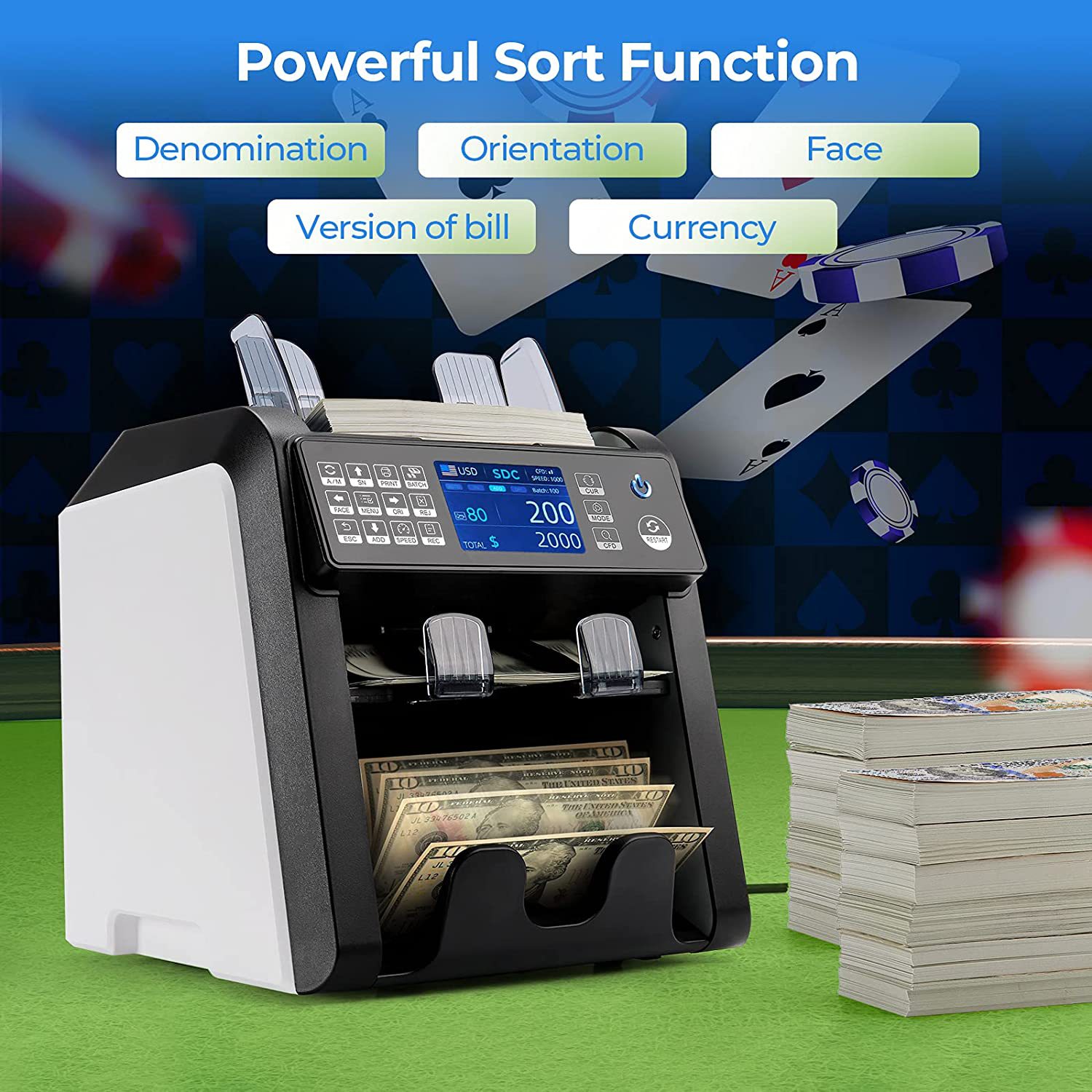
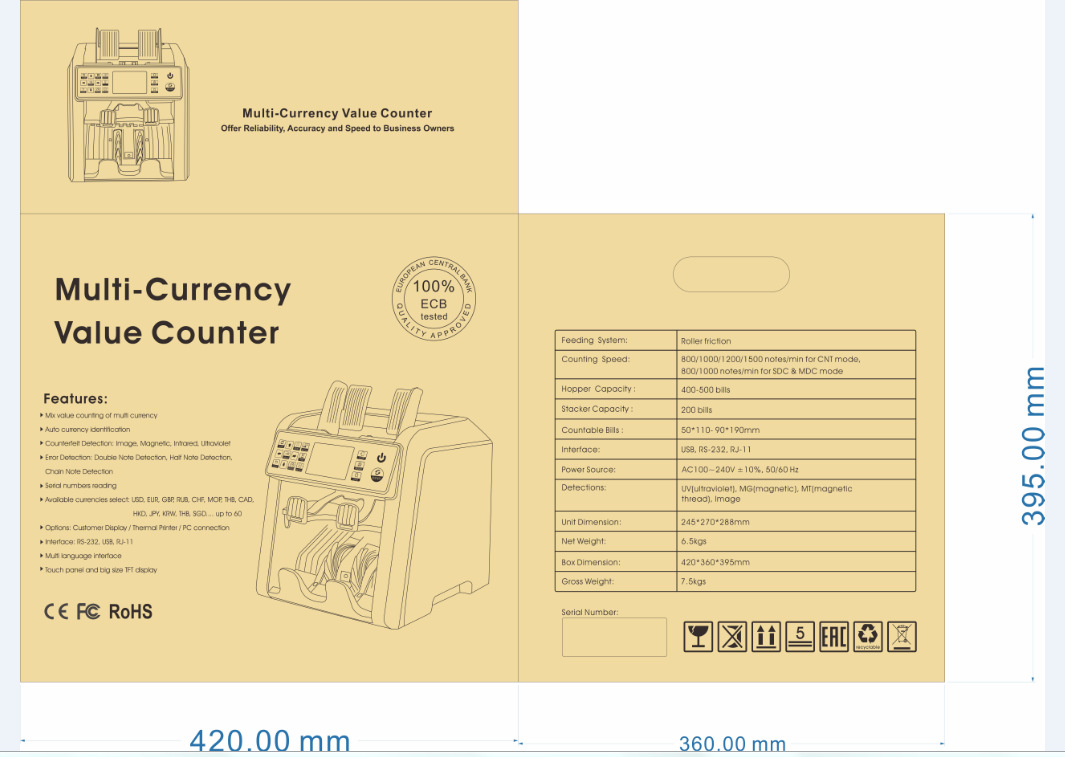
带双CIS图像扫描,多语言切换,金额合计,版本清分,面向清分,朝向清分。

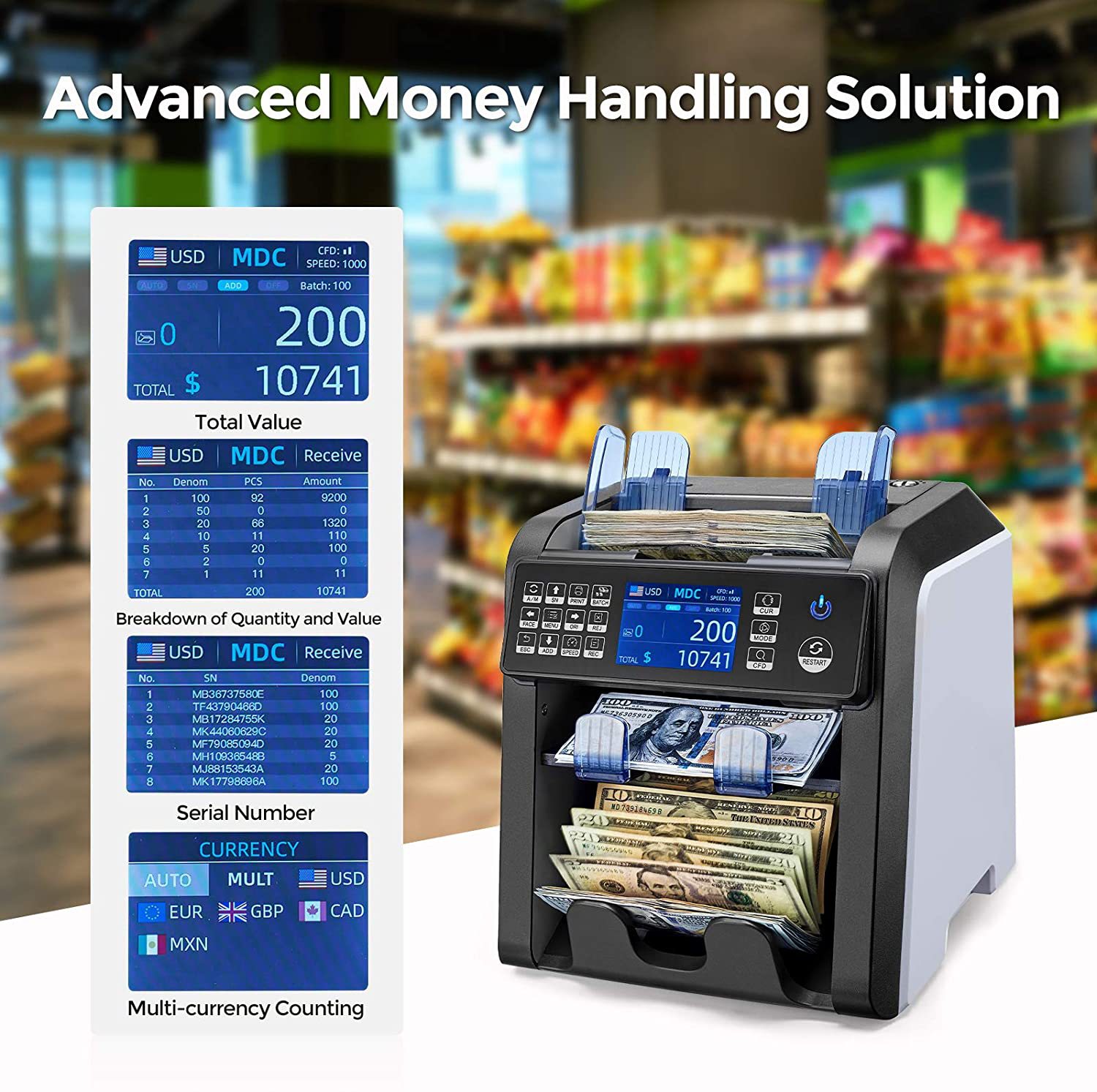
多币种合计一口半清分机

自动识别货币功能

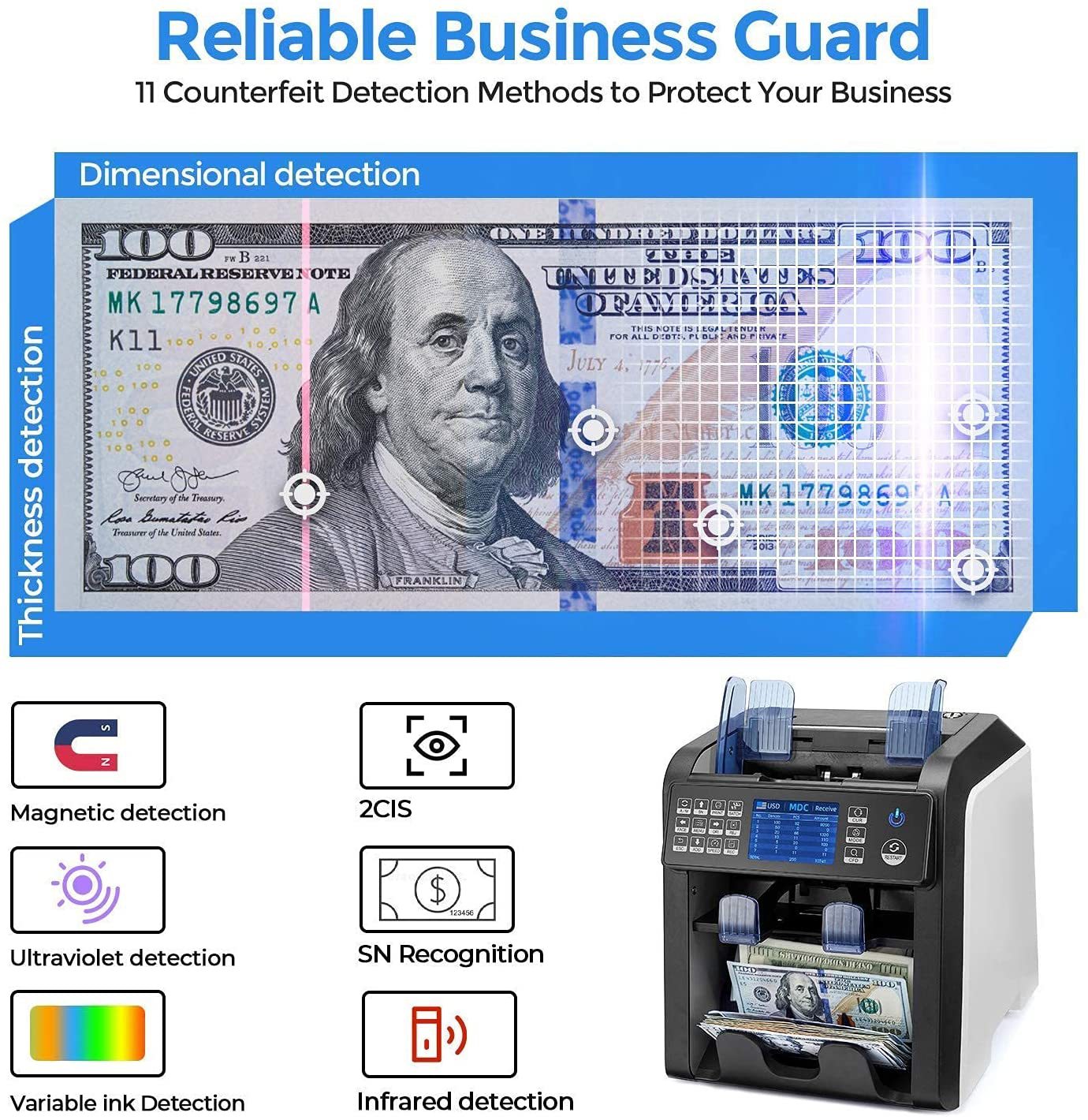
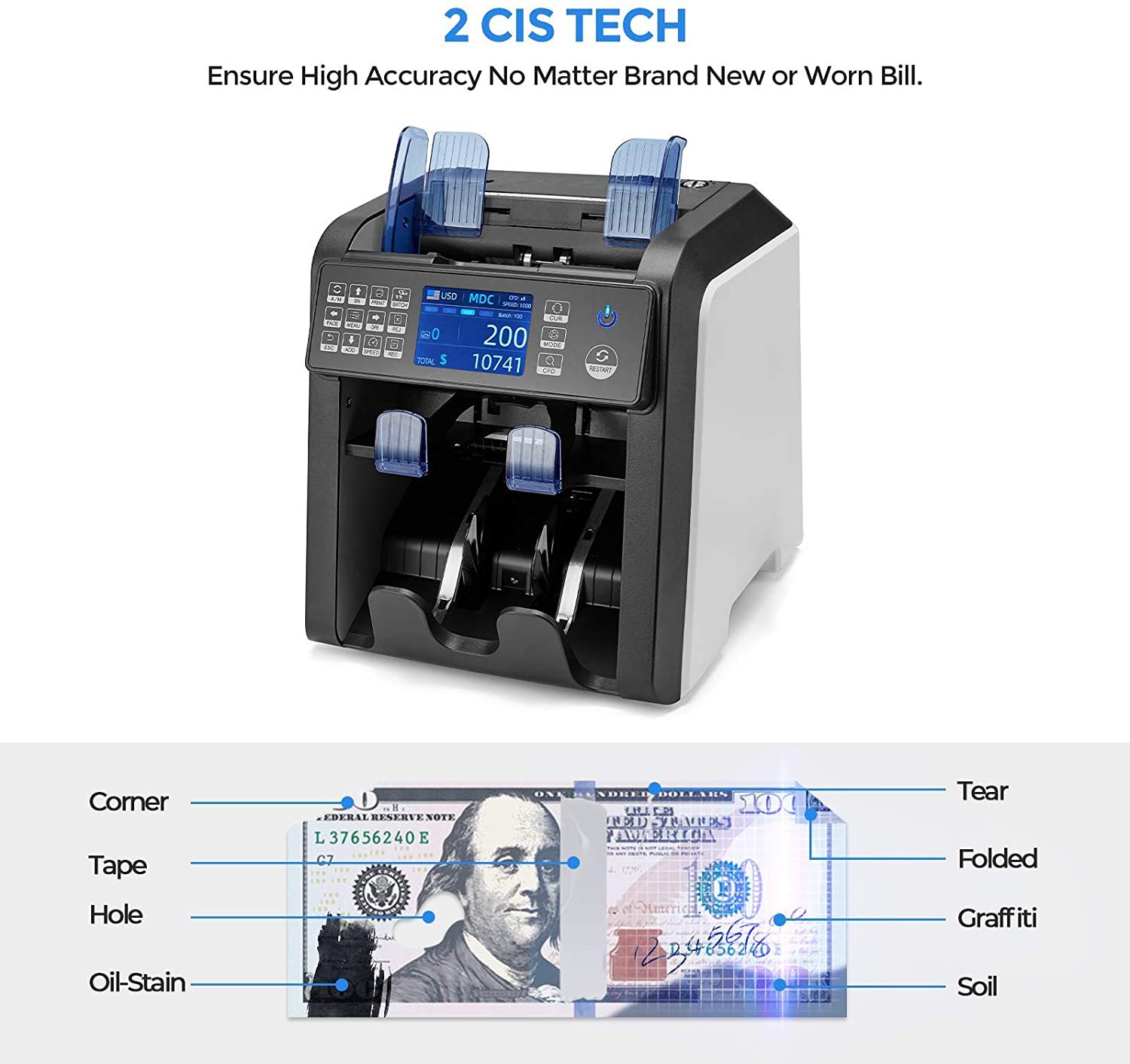
假币检测图像、磁性、红外、紫外等,自动半张、重张、连张检测。

货币选择:USD, EUR, GBP, RUB, CHF, THB, CAD, HKD, JPY, SGD, IDR, MXD, AED…最多60种货币

接口:RS-232, USB, SD卡

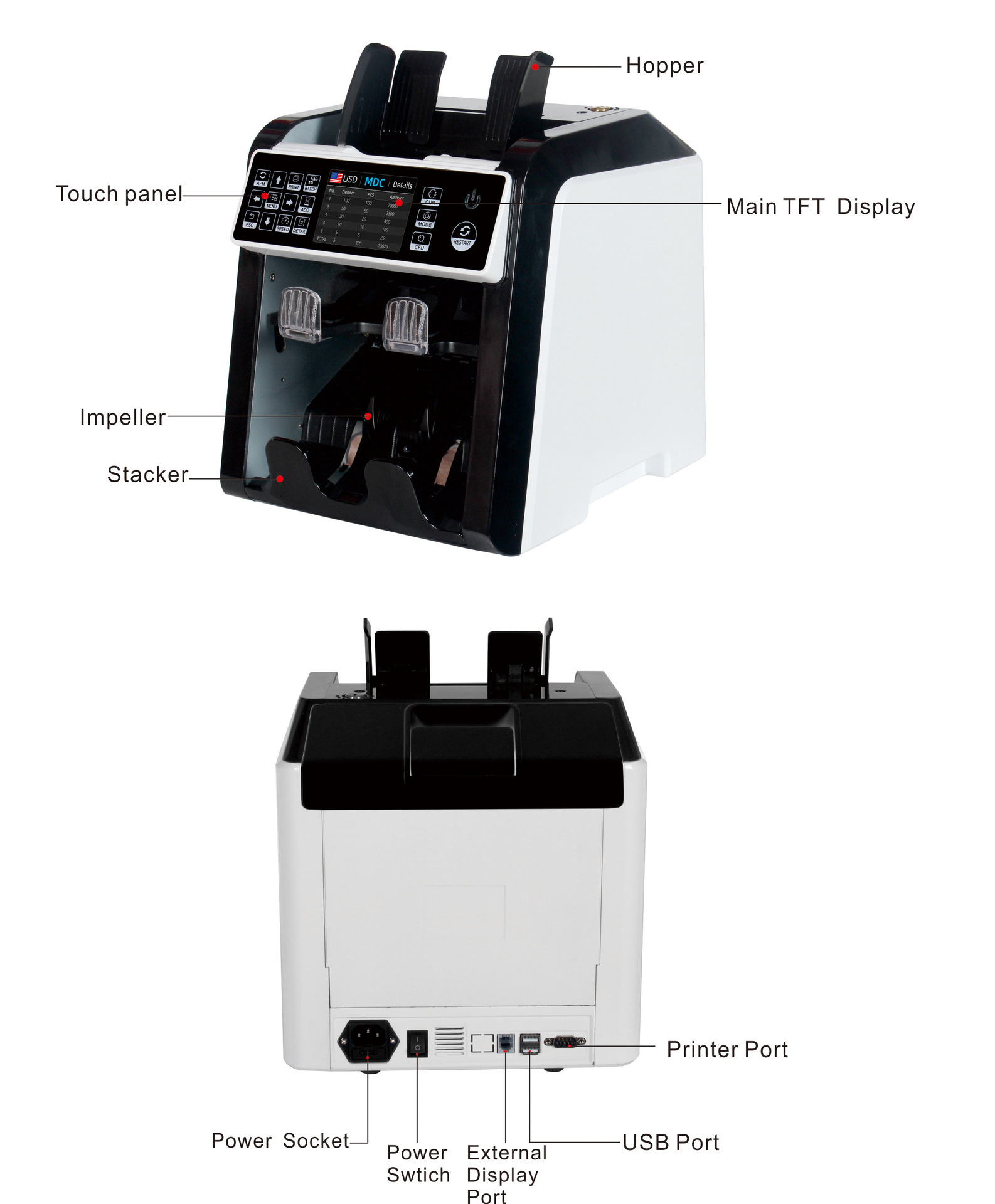
触摸面板和大尺寸TFT显示


规格:

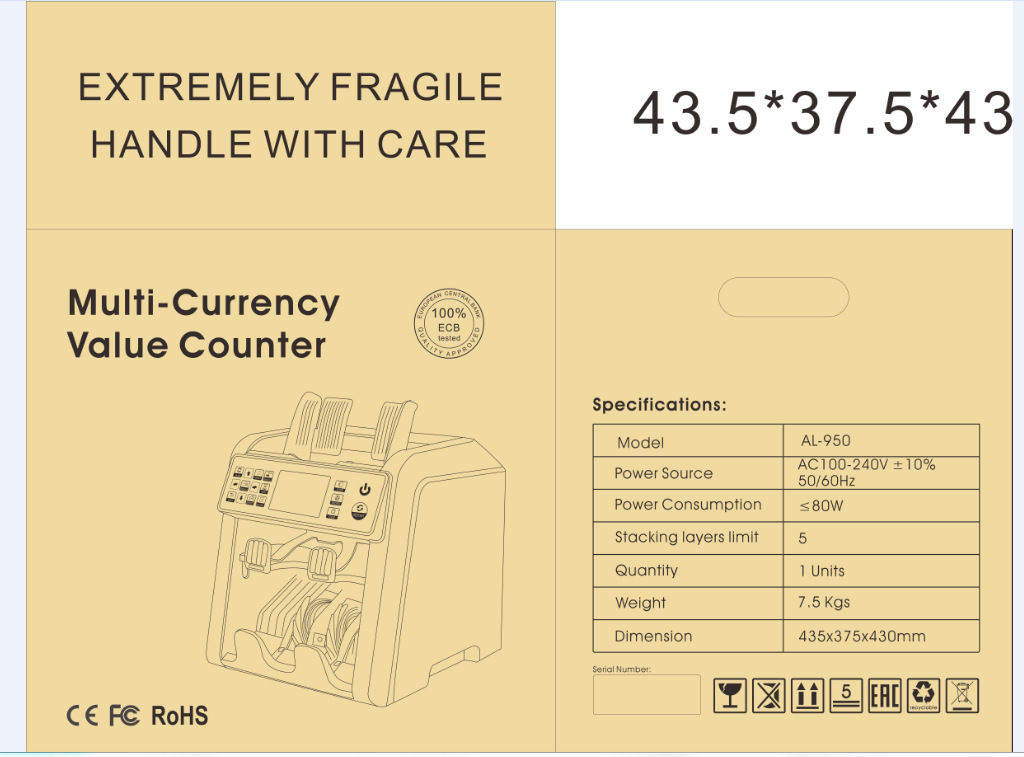
尺寸:260 * 230 * 240毫米

重量:净重:6.5公斤 ,毛重:7.5公斤

计数速度:CNT模式800/1000/1200/1500 张/分钟, SDC和MDC模式800/1000 张/分钟。

点钞尺寸范围:50*110-90* 190mm     点钞厚度范围:0.075-0.15mm

电源:交流100~240V±10%,50/ 60hz   电流:最大1.8A (100~ 240vac)

环境温度:0℃~35℃(工作)    工作环境:-10℃~60℃   环境湿度:20%~90%(无凝结)


 细节图片
undefined


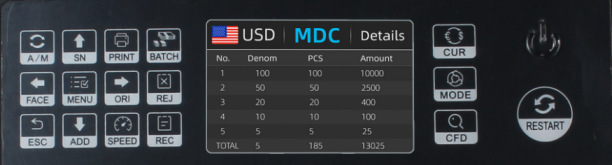
控制面板介绍


undefined

Button A/MChoose Auto or Manual Start

按钮A/M:选择自动或手动启动


Button SN:Turn on serial number recognition functionin batch mode,press it to increase batch number by1move cursor up in menu

开启序列号识别功能,在按键功能下,按此键可使数量增加1在菜单中向上移动功能。


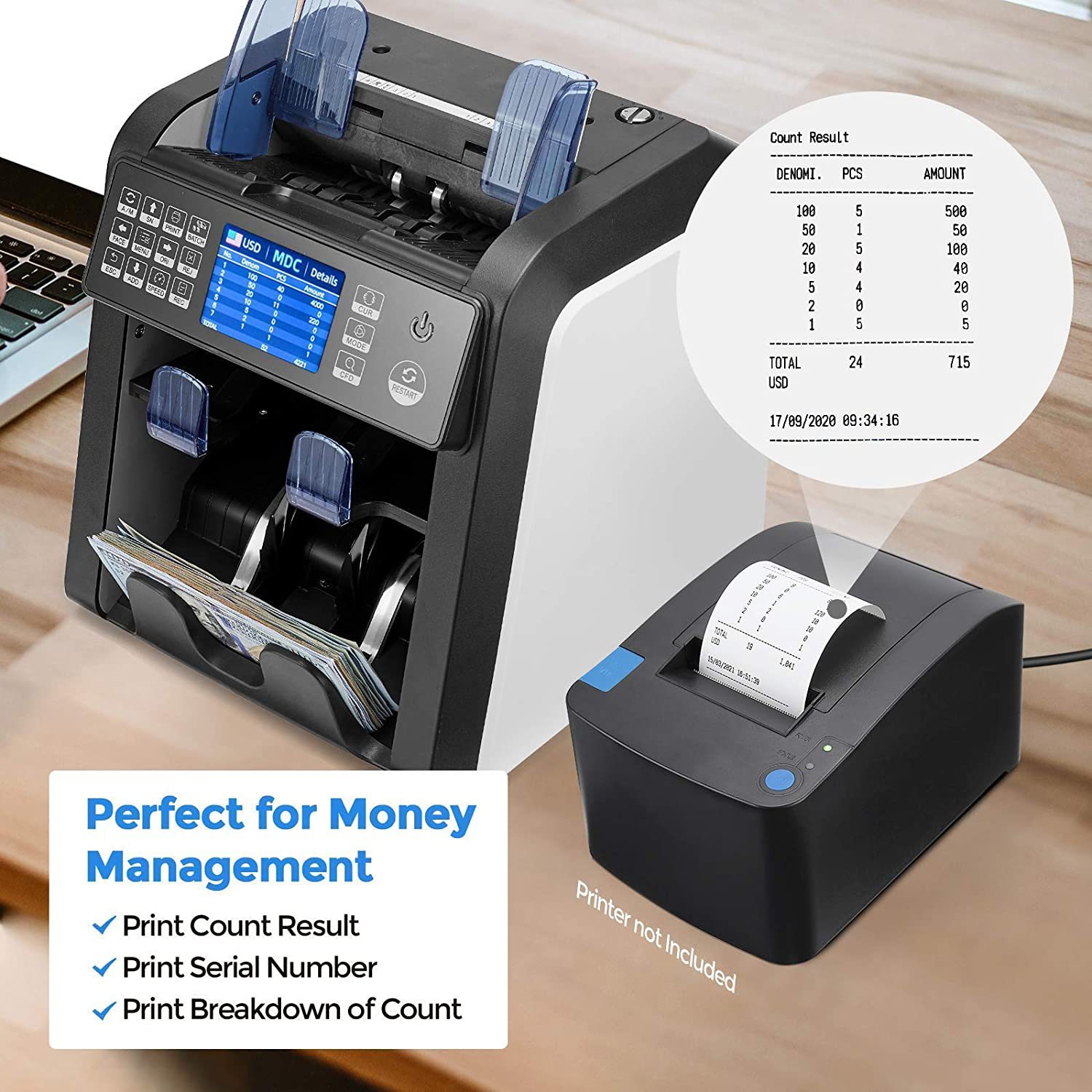
Button PRINT: When your value counter is connected with a printer, then in REPORT mode (press DETAIL to get in), press this PRINT button to print out the detail.

按钮打印:当点钞机与打印机连接时,按此打印按钮打印出详细信息。


Button BATCH: Switch on/off batch mode.

选择预置张数:打开/关闭选项


ButtonFACE:Face sorting function on/off in SDC mode,In BATCH mode,press it to increase batch number by 10,move cursor left in menu

SDC模式下开关面向功能,在预置模式下,按下该键可加数量增加到10的倍数,在菜单中向左移动功能。


Button menu: Enter in to Menu while in main interface

在主界面进入菜单,确认功能


Button ORJ:Orient sorting function on/off in SDC mode,In BATCH mode,press it to decrease batch number by 10,move cursor right in menu.

SDC模式下开关朝向功能,在预置模式下,按下该键可加数量减数10的倍数,在菜单中向移动功能。


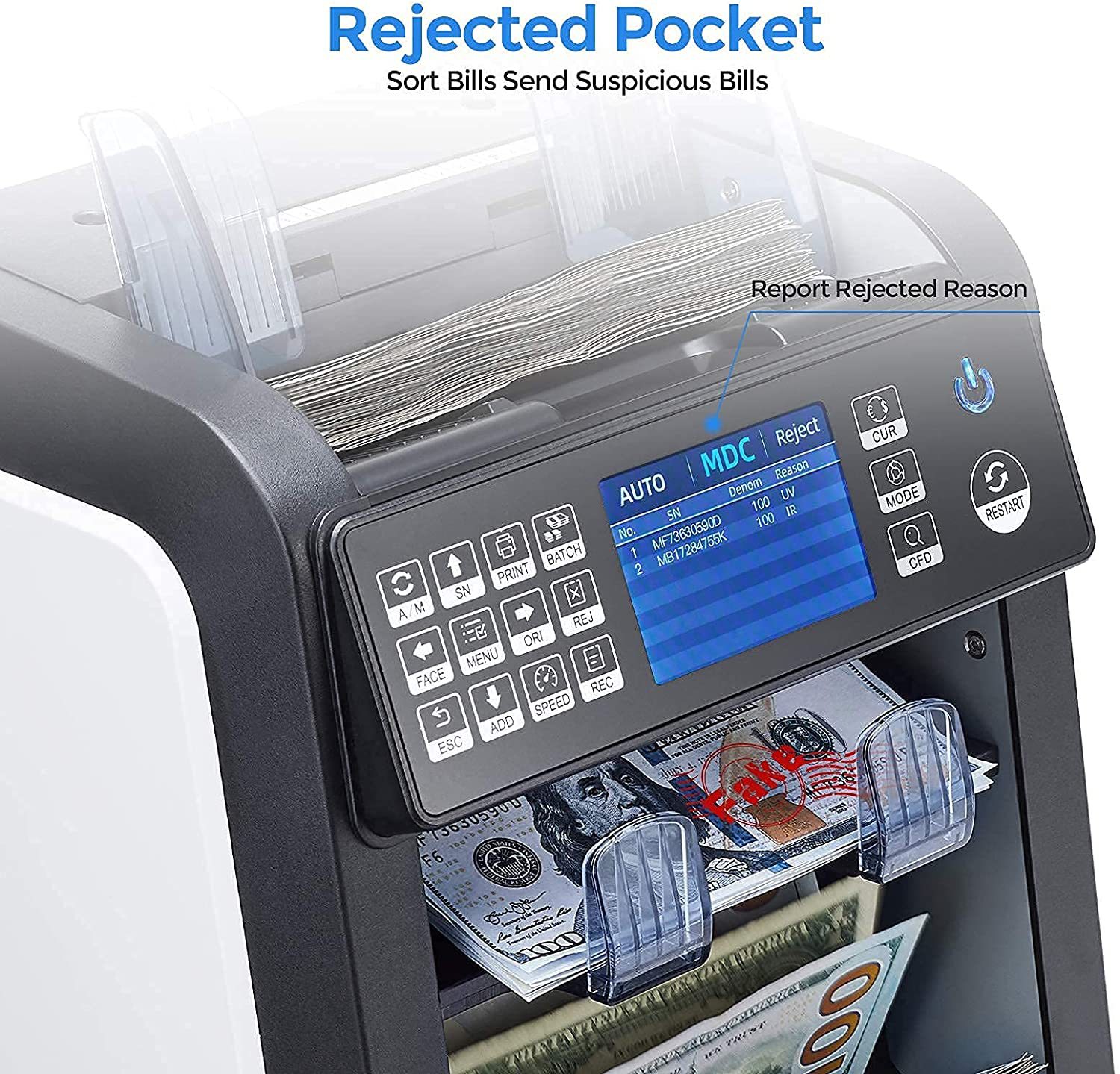
Button REJ:Show the rejected bills and reason,long press to set the capacity of reject pocket (max.100bills).

显示被拒收的钞票及其原因,长按设置拒收口袋容量(最大100张钞票)


Button ESC: The default function is to clear the input or back to upper level.

返回按键:返回上级按键。


Button ADD: The default function is to switch on/off ADD function

累加数量:默认功能为打开/关闭添加功能


Button SPEED: The default function is to select different available counting speeds.

按钮速度:选择不同的点钞速度


ButtonRECView the counting result report

查看计数结果报表


Button CUR: Show up the available currency names in your machine and press corresponding numeric button to select the currency you want.

 选择CUR:显示机器中可用的货币名称,然后按相应的数字按钮选择所需的货币。


Button MODE:Choose CNT mode (Count), SDC mode (Single Denomination Count) & MDC mode (Mixed Denomination Count).

选择CNT模式(计数)SDC模式(单面额计数)MDC模式(混合面额计数)


Button CFD: Choose different Counterfeit Detection Sensitivity level

选择CFD:选择不同的检测灵敏度级别


Button↑→ ↓←:When BATCH is on, then use ↑→ ↓←buttons to input the batch number. And in Menu to choose currency type.

方向键:选择不同的方向,通过上下左右方向键调节所需国家币种。


Button RESTART: This button is used to start counting, or back to upper level in MENU.

按钮重启:点钞机重新启动最初状态。


AL-950彩页 

undefined


undefined

内箱
undefined

外箱(双层打包更牢固)

undefined


undefined


undefined


实物图展示

undefinedundefined

undefined


undefined


特点:

带双CIS图像扫描,多语言切换,金额合计,版本清分,面向清分,朝向清分。

多币种合计一口半清分机

自动识别货币功能

假币检测图像、磁性、红外、紫外等,自动半张、重张、连张检测。

货币选择:USD, EUR, GBP, RUB, CHF, THB, CAD, HKD, JPY, SGD, IDR, MXD, AED…最多60种货币

接口:RS-232, USB, SD卡

触摸面板和大尺寸TFT显示


规格:

尺寸:260 * 230 * 240毫米

重量:净重:6.5公斤 ,毛重:7.5公斤

计数速度:CNT模式800/1000/1200/1500 张/分钟, SDC和MDC模式800/1000 张/分钟。

点钞尺寸范围:50*110-90* 190mm     点钞厚度范围:0.075-0.15mm

电源:交流100~240V±10%,50/ 60hz   电流:最大1.8A (100~ 240vac)

环境温度:0℃~35℃(工作)    工作环境:-10℃~60℃   环境湿度:20%~90%(无凝结)


 细节图片

undefined


控制面板介绍


undefined


Button A/M:Choose Auto or Manual Start

按钮A/M:选择自动或手动启动


Button SN:Turn on serial number recognition function,in batch mode,press it to increase batch number by1,move cursor up in menu。

开启序列号识别功能,在按键功能下,按此键可使数量增加1,在菜单中向上移动功能。


Button PRINT: When your value counter is connected with a printer, then in REPORT mode (press DETAIL to get in), press this PRINT button to print out the detail.

按钮打印:当点钞机与打印机连接时,按此打印按钮打印出详细信息。


Button BATCH: Switch on/off batch mode.

选择预置张数:打开/关闭选项


ButtonFACE:Face sorting function on/off in SDC mode,In BATCH mode,press it to increase batch number by 10,move cursor left in menu

在SDC模式下开关面向功能,在预置模式下,按下该键可加数量增加到10的倍数,在菜单中向左移动功能。


Button menu: Enter in to Menu while in main interface

在主界面进入主菜单,确认功能


Button ORJ:Orient sorting function on/off in SDC mode,In BATCH mode,press it to decrease batch number by 10,move cursor right in menu.

在SDC模式下开关朝向功能,在预置模式下,按下该键可加数量减数到10的倍数,在菜单中向右移动功能。


Button REJ:Show the rejected bills and reason,long press to set the capacity of reject pocket (max.100bills).

显示被拒收的钞票及其原因,长按设置拒收口袋容量(最大100张钞票)。


Button ESC: The default function is to clear the input or back to upper level.

返回按键:返回上级按键。


Button ADD: The default function is to switch on/off ADD function

累加数量:默认功能为打开/关闭添加功能


Button SPEED: The default function is to select different available counting speeds.

按钮速度:选择不同的点钞速度


ButtonREC:View the counting result report

查看计数结果报表


Button CUR: Show up the available currency names in your machine and press corresponding numeric button to select the currency you want.

 选择CUR:显示机器中可用的货币名称,然后按相应的数字按钮选择所需的货币。


Button MODE:Choose CNT mode (Count), SDC mode (Single Denomination Count) & MDC mode (Mixed Denomination Count).

选择CNT模式(计数),SDC模式(单面额计数)和MDC模式(混合面额计数)。


Button CFD: Choose different Counterfeit Detection Sensitivity level

选择CFD:选择不同的检测灵敏度级别


Button↑→ ↓←:When BATCH is on, then use ↑→ ↓←buttons to input the batch number. And in Menu to choose currency type.

方向键:选择不同的方向,通过上下左右方向键调节所需国家币种。


Button RESTART: This button is used to start counting, or back to upper level in MENU.

按钮重启:点钞机重新启动最初状态。


AL-950彩页 
undefined


undefined

内箱
undefined

外箱(双层打包更牢固)

undefined


undefined

Update time:20221008140503


©2025 Yiwubuy.com All rights reserved.
Finding high quality products in Yiwu China, Yiwu China Commodity Market (Yiwu wholesale market), the World's Largest Commodities Trading Center Online.
Chat
Email
WhatsApp
Follow us
Tel
+86 579 85191066